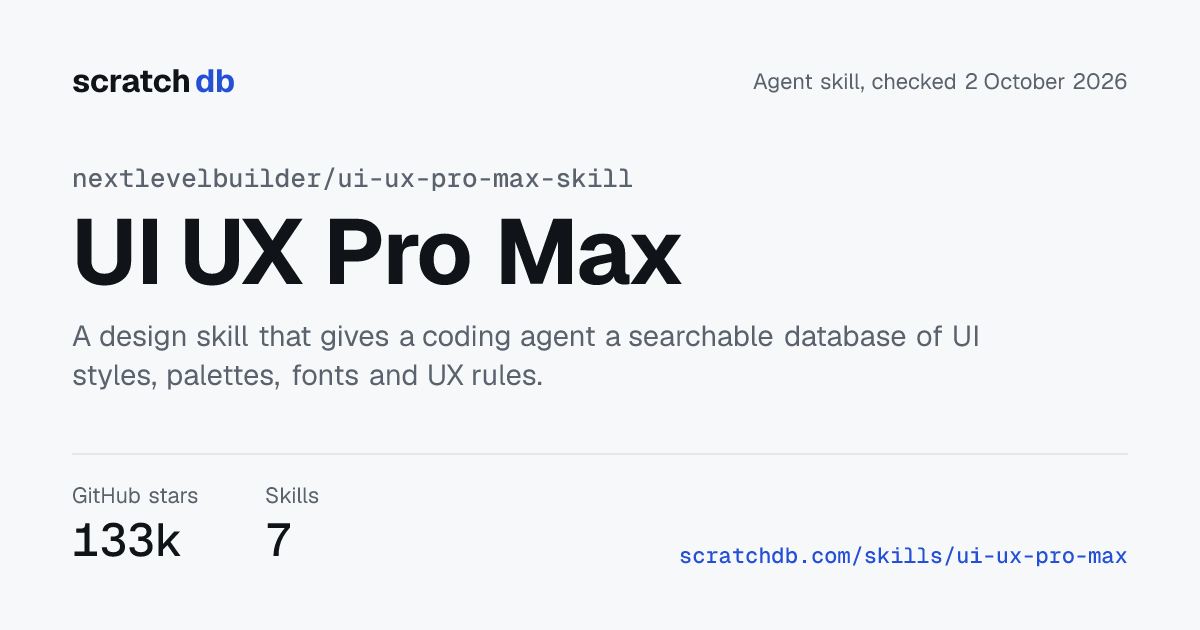
UI UX Pro Max
nextlevelbuilder/ui-ux-pro-max-skill
UI UX Pro Max is a free, MIT-licensed design skill from Next Level Builder. It gives a coding agent a local, searchable database of 79 UI styles, 192 color palettes, 74 font pairings, 119 UX guidelines and guidance for 22 tech stacks. When you ask for UI work, it generates a design system with a layout pattern, style, colors, typography, anti-patterns to avoid and a pre-delivery checklist.
Facts checked on against the sources listed at the end of this page.
- GitHub stars
- 139,054
- Skills in the pack
- 7
- Agents supported
- 20named in the README
- License
- MIT
- Last commit
- 6 hours ago23 October 2026
- Instruction size
- 8k wordsacross all SKILL.md files
How to install UI UX Pro Max
| Agent | Command | Copy |
|---|---|---|
| Claude Code | Or use the CLI below with --ai claude. | |
| Any agent, via the CLI | Needs Python 3 for the search script. --ai all installs for every supported assistant. | |
| Cursor | | |
| Codex | | |
| Gemini CLI | |
Commands for 2 more agents
| GitHub Copilot | Invoked as a slash command: /ui-ux-pro-max followed by your request. | |
|---|---|---|
| Global install | Installs into ~/.claude/skills/ so every project gets it. |
Commands as given in the README on 2 October 2026.
What UI UX Pro Max runs on your machine
- Hooks
- None found in the repo.
- Bundled scripts
- Yes. The skill runs a Python 3 search script (standard library only) on your machine. The README says the scripts install nothing, and the skill tells agents to ask you before installing software. The npm CLI, uipro, writes the skill files into your project.
- Network calls
- The README says the Python scripts make no network calls. The design skill's description names Gemini, Atlas Cloud and MuAPI for logo and icon generation, so that skill can call those services.
- API keys needed
- None for the main skill. The image generation features named in the design skill's description use the key of the service you pick.
These are facts read from the repo, not a security rating. Read the files before you install any skill.
What is inside UI UX Pro Max
| Skill | What it makes the agent do |
|---|---|
| ui-ux-pro-max | The main skill. Ranks 10 rule categories from accessibility down to charts and searches the local style, palette, font, UX, icon and stack data. |
| design-system | Builds token architecture with primitive, semantic and component layers, plus component specs. |
| ui-styling | Styles interfaces with shadcn/ui, Radix UI and Tailwind CSS, including dark mode and accessible components. |
| design | A broad design skill covering brand identity, logos, banners, icons and presentations. |
| brand | Handles brand voice, visual identity and messaging consistency. |
| banner-design | Designs banners for social, ads, website heroes and print, with several art direction options. |
| slides | Creates HTML presentations with Chart.js and design tokens. |
The README describes ui-ux-pro-max. The other six skills sit in the repo's .claude/skills folder and the plugin manifest points at that folder. The README says brand identity, logo, banner and slide work is part of a separate premium version, so check which skills your install includes.
A good fit for
- Developers who build interfaces with a coding agent and want style, color and font choices matched to the product type
- Teams that want a saved design system file the agent re-reads across sessions
- Projects on a specific stack, since the skill carries guidance for 22 frameworks and toolkits
- Reviews of existing UI against accessibility and UX rules before delivery
Skip it if
- Backend, API or infrastructure work, which the skill says to skip
- Anyone who wants the README's brand, logo and slide features without checking, since the README lists them under a premium version
- Teams that already use another design pack, because two design skills can give conflicting direction
How UI UX Pro Max works
The skill is a local database plus a reasoning step. A request such as a landing page for a spa runs five searches in parallel for product type, style, colors, landing page pattern and typography. It then applies 192 industry rules, ranks results with BM25 and filters out anti-patterns for that industry, such as AI purple and pink gradients for a bank. The output is one design system you can save to design-system/<project>/MASTER.md, with page files that override it.
The data is organized by priority: accessibility and touch first, then performance, style, layout, typography and color, animation, forms, navigation and charts. Stack guidance covers React, Next.js, Vue, Svelte, SwiftUI, Flutter, Jetpack Compose, Laravel and desktop toolkits. The skill is activated by UI requests in Claude Code, Cursor, Windsurf, Codex CLI and others, and by a slash command in Kiro, GitHub Copilot and Roo Code.
- Made by
- Next Level Builder
- Topic
- Design and frontend
- Works with
- Claude Code, Codex, Cursor, Gemini CLI, GitHub Copilot, Windsurf, Antigravity, Kiro, Qoder, Roo Code, Trae, OpenCode, Continue, CodeBuddy, Droid, KiloCode, Warp, Augment, CodeWhale, ZCode
- Website
- uupm.cc
How much context UI UX Pro Max uses
| All 7 skills | 7,958 words across every SKILL.md file |
|---|---|
| Largest skill | ui-ux-pro-max, 2,118 words |
| Loaded at start | Only each skill's name and description. The full text loads when a task needs that skill. |
Word counts are measured from the repo every day. Reference files a skill loads on demand are not counted.
Is UI UX Pro Max still maintained?
| Last commit | , 6 hours ago |
|---|---|
| Latest release | v2.15.0, 13 August 2026 |
| Stars gained in 7 days | +2,780 |
| Stars gained in 30 days | Shown after 30 days of tracking |
| Open issues and pull requests | 90 |
| Forks | 14,725 |
Tools UI UX Pro Max works with


Similar skill packs
Questions about UI UX Pro Max
Does UI UX Pro Max work with Cursor and Codex?
Yes. Run uipro init --ai cursor or uipro init --ai codex after installing ui-ux-pro-max-cli. The README lists 20 supported assistants, including Claude Code, Gemini CLI and GitHub Copilot.
Is it free?
The repo is open source under the MIT license. The README describes a separate premium version with extra brand design skills and priority support.
Does it need Python?
Yes. The search script needs Python 3 with only the standard library. The README says to install Python yourself and that agents should ask you instead of installing it.
Does it send my project data anywhere?
The README says the scripts make no network calls, and the skill tells the agent not to put private project data in queries. Skills that generate logos or icons can call outside image services.
How do I remove it?
Run uipro uninstall from the project root, or uipro uninstall --global for a global install.
Sources
- nextlevelbuilder/ui-ux-pro-max-skill on GitHub
- UI UX Pro Max README
- UI UX Pro Max main SKILL.md
- UI UX Pro Max license
- UI UX Pro Max website
Something wrong or out of date? Email [email protected] with a link to the source. Stats come from the public GitHub API and update every day.
For the maker
Add the badge to your README or site. The number updates every day.


Sharing on X? Open the share card with the pack's live numbers.